How do I apply for leave?
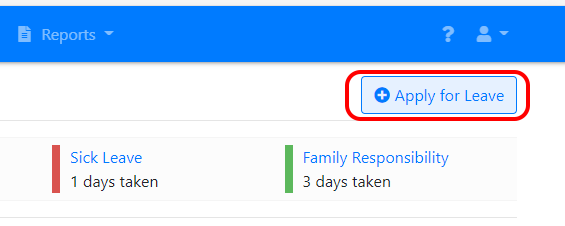
Click the “Apply for Leave” button to request leave.
You’ll be able to enter the following information:
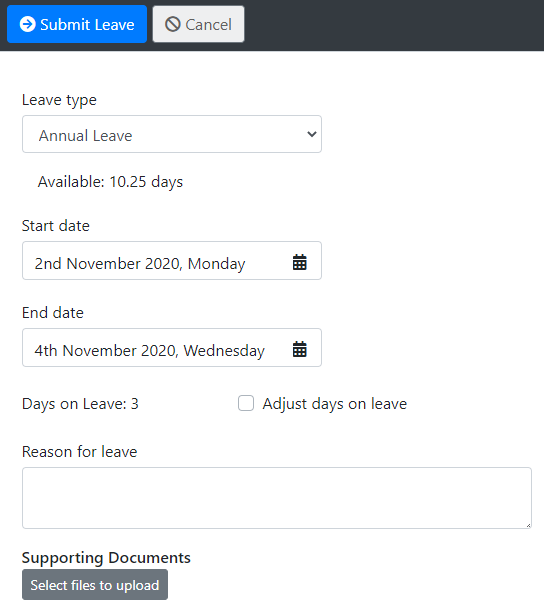
Type of Leave:
First select the type of leave that you would like to apply for.
For some types of leave, such as sick leave, it might be necessary to enter a reason for the leave.
Dates on leave:
Next select the dates that you will be on leave.
The system will automatically calculate the number of days on leave.
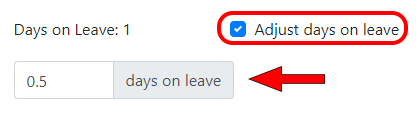
In some cases you may want to change the number of days. For example, maybe you want to take a half days leave.
You can do this by ticking “Half day or other amount”. If you’re on leave for one day you can choose a half day in the morning or afternoon, or choose “Other Amount” and enter the number of days. If you’re on leave for more than one day, enter the number of days on leave.
Supporting Documents:
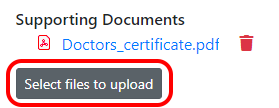
You can upload supporting documents if necessary. For example, a doctors certificate for sick leave.
Click “Click to upload” and choose the files to include with your leave application, or drag the files onto the box.
Submitting your leave for approval:
When you’re ready click the “Submit Leave" button.
Your leave application will be sent to your manager for approval.
You’ll be notified once the application has been approved or declined, but you can also check the status online at anytime.