How do I apply for leave on someone else's behalf?
Some people have the authority to apply for leave on someone else’s behalf.
Just apply for leave as normal, by clicking the “Apply for Leave” button.
You will be able to select the employee who is taking leave.

Who can apply for leave on someone’s behalf:
Administrators can apply for leave for any employee.
Leave approvers can apply for leave for their employees.
Any employee can be given access to apply for leave for anyone in their department, or for anyone in the company.
To give someone this access go to the “Employees” screen and click on their name. Click “Edit Employee” and choose an option under “Can apply for leave for”:
- Anyone in their department
- Anyone in the company
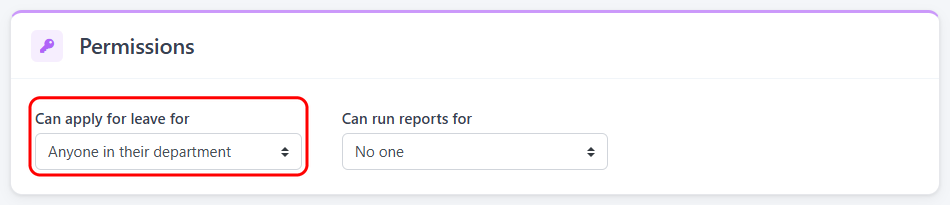
Then click “Save Employee”. This setting only appears if the employee has an email address.
Leave approvers can always apply for leave for their own employees. You can use this setting to let them apply for other employees too.
Administrators don’t have this setting because they can already apply for leave for any employee.