Editing employee documents
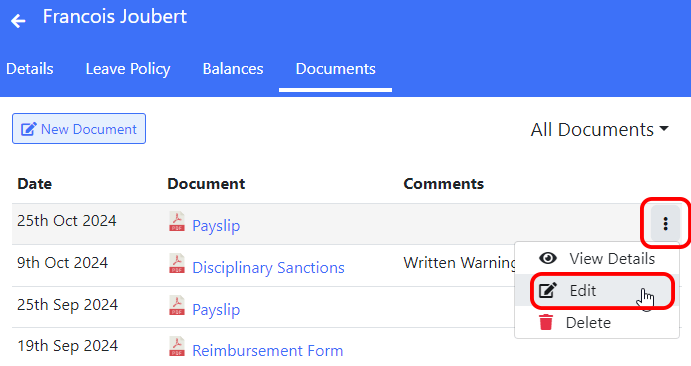
To change an existing document that was uploaded for an employee, go to the “Employees” screen, click on their name and then select the “Documents” tab.
Now click on the ⋮ icon for the document you want to change and select “Edit” from the menu.
You can now make the required changes, then click the “Save” button.