Deleting employee documents
To delete an employee document go to the “Employees” screen, click on their name and then select the “Documents” tab.
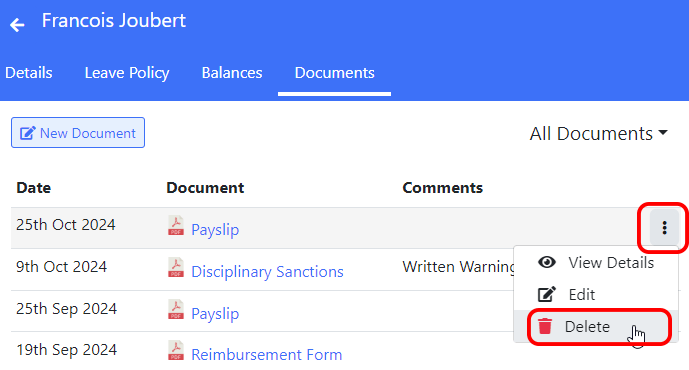
Now click on the ⋮ icon for the document you want to delete and select “Delete” from the menu.
To delete an employee document go to the “Employees” screen, click on their name and then select the “Documents” tab.
Now click on the ⋮ icon for the document you want to delete and select “Delete” from the menu.