Deleting multiple items
You can delete multiple items at once from the company documents module.
- Select Items: Tick the checkbox next to each item you’d like to delete.
- Delete Items: Click the “Delete” button to remove the selected items.
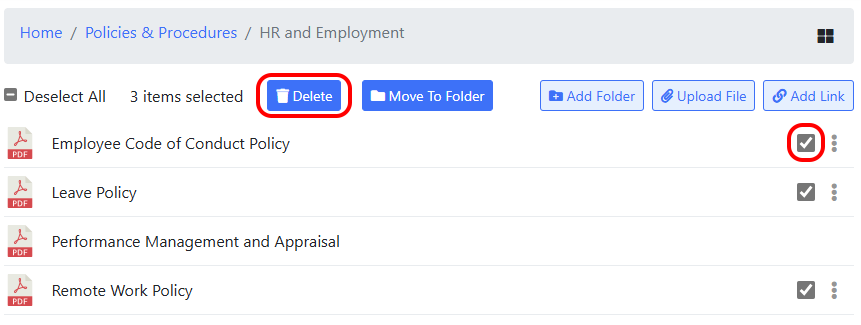
You can delete multiple items at once from the company documents module.