Adding, renaming and deleting files
Uploading files
To upload files select “Company Documents” from the top menu and then click the “Upload Files” button.
You can also drag-and-drop files directly onto the page to upload them.

Tip: You can upload multiple files at the same time.
Renaming files
To rename a file that has been uploaded, click on the ⋮ icon or right-click on the file and select “Rename” from the menu:
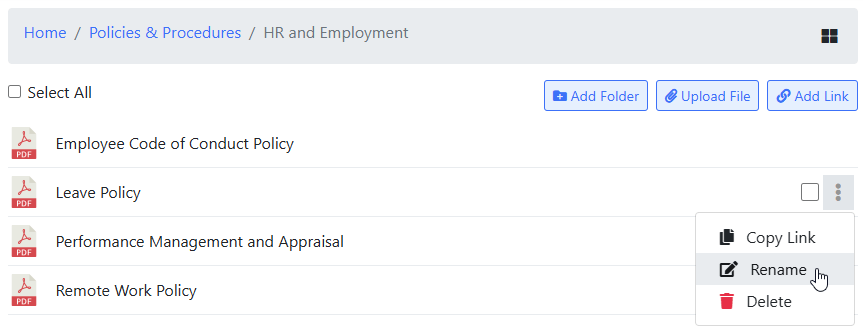
Enter a new name for the file and click “Save”.
Deleting files
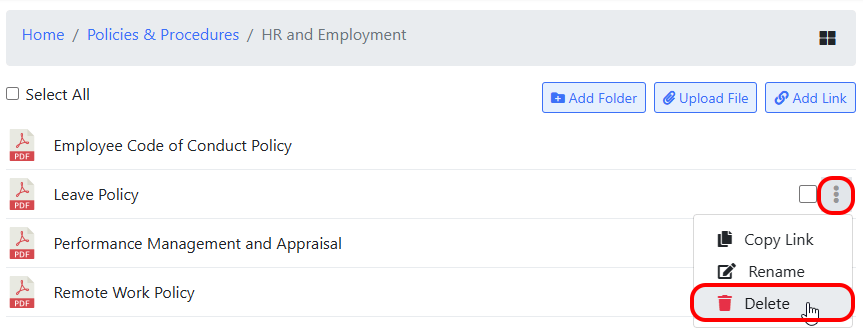
To delete a file, click on the ⋮ icon or right-click on the file and select “Delete” from the menu: