E-mail Notifications
The E-mail Notifications screen controls the e-mails LeavePro sends, such as leave request notifications, reminders and monthly reports.
To open it, select “Settings -> E-mail Notifications” from the menu at the top of the screen.
Leave Request Notifications
Leave approvers are e-mailed when leave needs their approval, and employees are e-mailed when their leave is approved, declined or cancelled. You can also e-mail other people, such as HR or payroll.
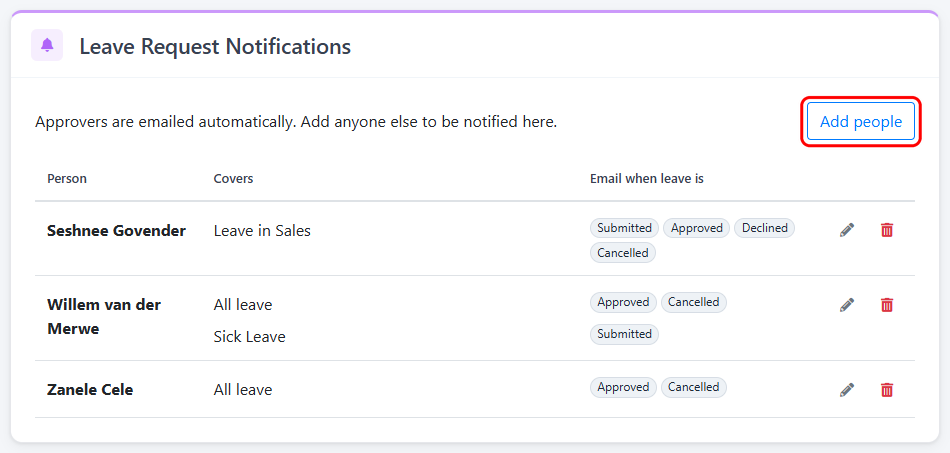
Click “Add people” and choose one or more employees. Only employees with an e-mail address can be added.
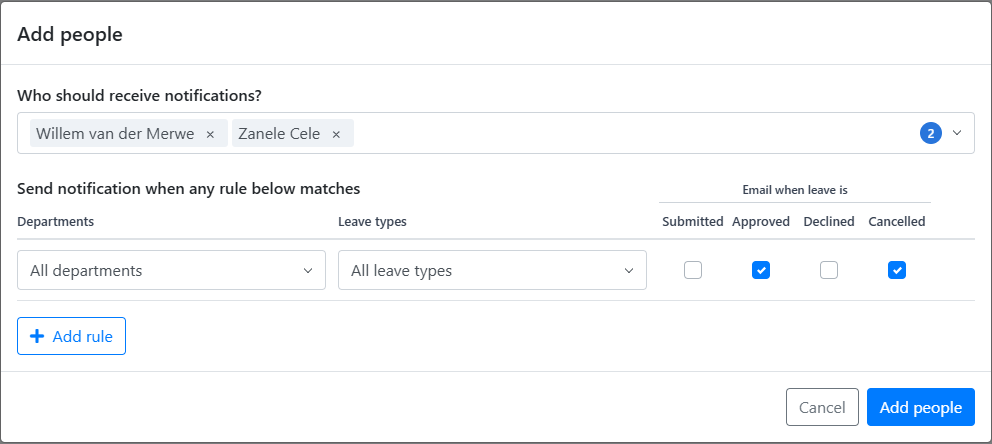
Then choose what they should be e-mailed about:
- Departments: The department of the employee who’s applying for leave. “All departments” includes any departments you add later.
- Leave types: “All leave types” includes any leave types you add later.
- Email when leave is: Submitted, approved, declined and/or cancelled. Cancelled e-mails are only sent when approved leave is cancelled.
Click “Add rule” if someone needs different e-mails for different leave. For example, Willem gets approved and cancelled e-mails for all leave, but is also told when sick leave is submitted:
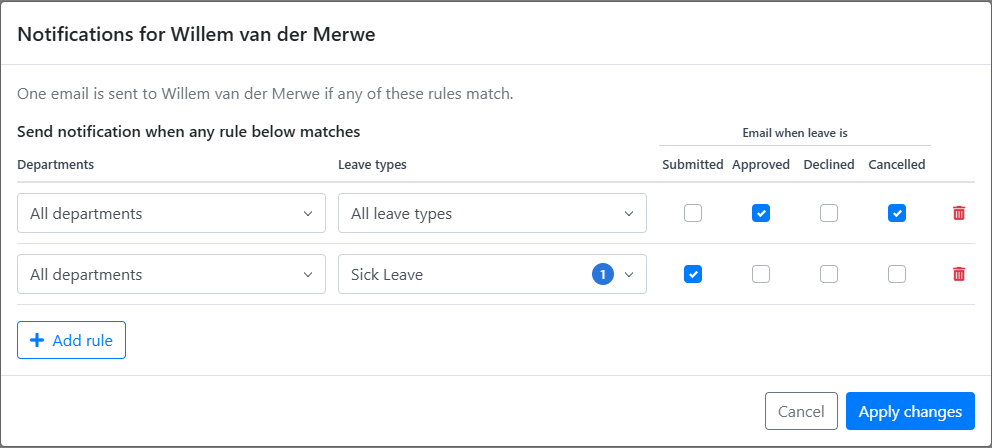
Changes aren’t saved until you click “Save Settings” at the top of the screen.
If you remove an employee’s e-mail address, they’re removed from these notifications.
Other e-mail notifications
The rest of the screen sets up the other e-mails LeavePro sends:
- Leave balance: A monthly e-mail telling each employee their annual leave balance.
- Leave waiting for approval: A weekly reminder to leave approvers about leave they still need to approve.
With LeavePro Plus you can also send: