Viewing and reporting on inactive employees
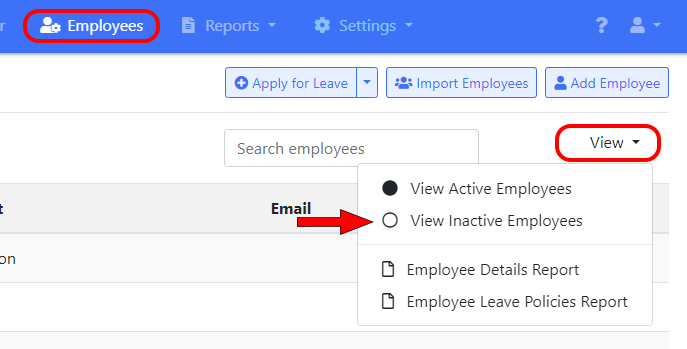
To view inactive employees go to the “Employees” screen and select “View Inactive Employees”.
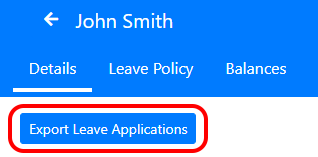
Note that deactivated employee’s aren’t included in reports. However you can still run a report of all their leave applications. Just click on their name and then click the “Export Leave Applications” button.