Having a profile pic humanizes your online experience and makes things more personal. It also makes it easier to identify a person at just a glance. With this in mind we have added a new feature that allows you to upload a photo of yourself to your LeavePro profile.
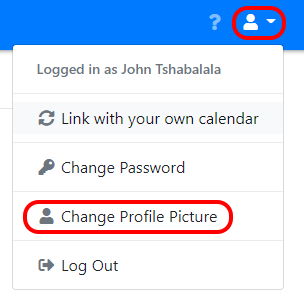
It’s really simple to do. Click on your profile and select the upload photo option.
 {:style=“box-shadow: 0 0 8px rgb(0 0 0 / 16%); display: block; margin-left: auto; margin-right: auto;”}
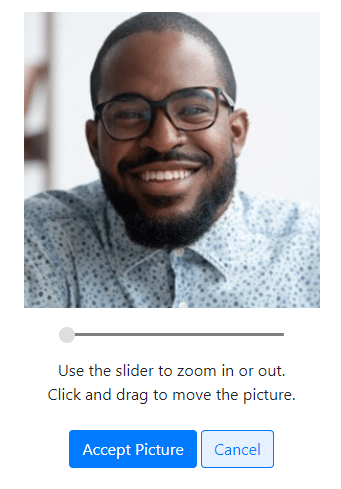
This will allow you to add an image. You can then adjust the sizing by zooming in and out of the photo.
 {:style=“box-shadow: 0 0 8px rgb(0 0 0 / 16%); display: block; margin-left: auto; margin-right: auto;”}
You can also do this on your phone, either by taking a selfie or by adding a photo of yourself to your profile.
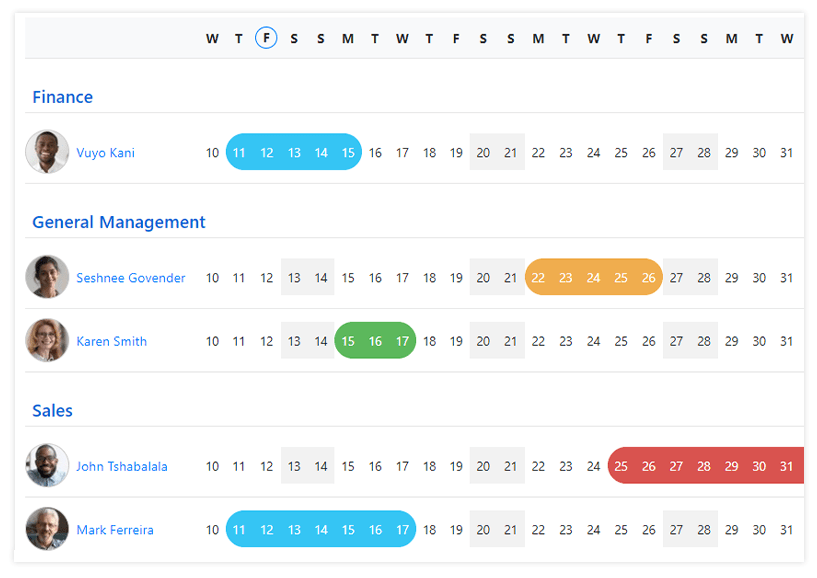
Your employers and colleagues using LeavePro will be able to see your photo, making the whole experience of our online leave management system a lot more personal.
 {:style=“display: block; margin-left: auto; margin-right: auto;”}